

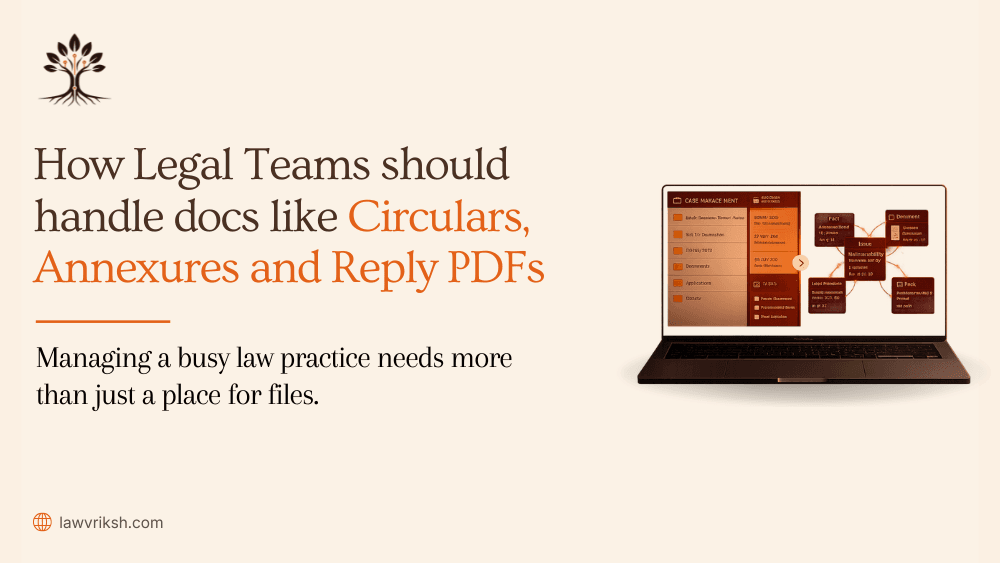
How Legal Teams Should Handle Legal Documents Like Circulars, Annexures, and Reply PDFs
Have you ever spent hours searching for a single annexure buried in a pile of files? Managing case files can feel like a never-ending race.
When your circulars, annexures, and reply PDFs are scattered, your legal team wastes hours. This makes it hard to get ready for hearings on time.
Handling legal documents right means more than just storing them. It's about keeping every file connected to its source.
Using legal document management software can change how your team works. It moves you from searching for files to preparing for cases ahead of time. This keeps your legal work organized and efficient.
Key Takeaways
Fragmented files create unnecessary operational friction for your chamber.
Centralizing circulars and annexures improves your overall case workflow.
Active matter management is superior to simple, disconnected storage.
Traceability ensures that every file is linked to its specific context.
Modern tools empower advocates to maintain better control over their files.
How Legal Teams Can Organize Legal Documents More Efficiently
Switching from chaotic file management to a unified system changes how you handle cases. Many chambers still see files as separate items, wasting time and mixing up information. By changing your view, you can see each document as part of a bigger case story.
To organize well, use a consistent naming convention. This lets your team quickly find what they need without opening every file. A clear digital filing system saves time and reduces confusion.
Use the matter ID as a prefix for all related files.
Include the document type, such as "Circular" or "Annexure," in the filename.
Add a date stamp to maintain a clear chronological order.
Ensure version numbers are clearly marked to avoid confusion.
Keeping all digital records in one place helps your legal team stay on the same page. This reduces errors and saves time. It lets you focus more on your case strategy.
Managing legal documents with care changes your daily work. Moving away from messy folders builds a solid base for your practice. This boost not only makes your work smoother but also helps present a strong case in court. Read more about legal document management.
Why Managing Legal Documents Becomes Difficult
Often, the biggest hurdles in a chamber's workflow are right in front of us. When legal documents are scattered across different places, the context of a case starts to fade. This makes your team work harder just to keep up with the case
Related Documents Get Scattered Across Multiple Folders
Digital clutter is common in many litigation chambers. When files are saved in different places, it's hard to see the whole picture of a case. Information silos make it tough for your team to connect the dots between different documents.
Without a clear structure, it's hard to link files together. This makes it tough to build a solid timeline for your legal strategy. Read more about Building Case Chronology from Scattered Documents.
Missing Annexures Delay Drafting and Filing
An annexure is only useful when it's right next to its main document. When these attachments are apart, drafting slows down. You can't write a precise reply without the supporting evidence.
This separation creates a dangerous gap in your case prep. It makes you rely on memory or incomplete records, raising the chance of errors during filing.
Manual Searches Waste Time Before Hearings
Manual searches are a big waste of time. Before a hearing, your team should be planning strategy, not searching for documents. Spending hours looking for a page or file means you're wasting time that could be spent on better things. Explore more about The Hidden Cost of Rebuilding Facts Before Every Court Hearing.
Workflow Aspect | Disorganized Approach | Optimized Approach |
Document Retrieval | Manual folder searching | Instant smart search |
Annexure Mapping | Disconnected files | Linked to parent matter |
Hearing Prep | Time-consuming cross-referencing | Source-backed preparation |
Version Control | Duplicate, renamed files | Single source of truth |
Best Practices for Managing Legal Documents
Organizing your chamber’s records well changes how you get ready for big hearings. A clear, repeatable workflow helps your team find what they need fast. This means they can focus more on creating a strong legal strategy.
Keep Circulars, Annexures, and Reply PDFs Within the Same Matter
Every annexure or circular is important for a case. We suggest keeping these files in a special folder for each case. This keeps your evidence together and avoids delays in court.
Use Consistent Naming and Version Control
Duplicate files or old drafts can cause confusion. A rigorous version control system tracks changes and finds the final version. Naming documents the same way makes it easy to find the right one.
Make Every Legal Document Searchable
Digital files are key for quick access to important evidence. Converting physical files to digital makes them searchable. Using legal document management software helps index these files for easy access. Read about Why PDF Search Still Fails Lawyers?
Maintain Legal Compliance with Proper Document Records
To follow legal compliance rules, index and store documents correctly. Good record-keeping is about more than storage. It’s about creating a reliable trail for your case. Legal document management software helps your firm stay compliant and keeps files organized.
How Legal Document Management Software Improves Litigation Workflows
Legal work is moving from paper to digital. Managing lots of legal documents can be tough. The right tech helps you save time and focus on your case.
Centralize Every Legal Document
A good legal document management software is your one-stop shop. No more searching through many folders. You can link all your documents to their case easily. This keeps your team on the same page and avoids mistakes.
Retrieve Documents Instantly with Smart Search
Time is crucial during a hearing. No more searching through papers by hand. Smart search finds what you need fast. This lets you answer questions quickly and confidently.
Reduce Errors with Verified Document Context
Keeping your arguments strong is key. Software helps by linking documents to their source and time. This cuts down on mistakes and lets you focus on your strategy.
Feature | Manual Workflow | Software-Assisted Workflow |
Document Storage | Scattered physical folders | Centralized digital repository |
Search Speed | Time-consuming manual review | Instant keyword-based retrieval |
Error Risk | High due to human oversight | Low with verified context |
Efficiency | Limited by staff capacity | Scalable with automation |
How LawVriksh Handles Legal Documents
Handling lots of legal documents is more than just storing them. It's about using document intelligence. LawVriksh is your digital partner for managing legal documents with ease and precision.
Digitize Circulars, Annexures, and Reply PDFs
We start by turning your files into a single, searchable format. This includes complex annexures and reply PDFs. Our system indexes every page correctly.
This makes manual sorting a thing of the past. You get a clean digital archive. It's easy to access from anywhere.
Extract Verified Facts from Every Document
LawVriksh uses GenAI to analyze complex info with high accuracy. It finds key dates, parties, and claims. This builds a solid foundation of evidence for your case.
"The strength of a case lies not in the volume of paper, but in the clarity of the facts extracted from it."
Build a Searchable Matter Memory
We create a system that remembers as well as you do. Your legal practice gets a central file system. It connects related info across your case.
Now, you can find supporting evidence quickly. No need to sift through pages. This saves you hours before every hearing.
Generate Source-Backed Drafts with Cite-as-you-write
Drafting is more reliable with source-backed claims. Our Cite-as-you-write feature links every claim to its source. This ensures your arguments are solidly backed.
Trace every claim back to the original page.
Maintain full advocate control over the final output.
Reduce the risk of errors in your filings.
This method boosts your confidence in presenting your case. You're in control, with our tools providing the traceability you need to win.
Checklist for Managing Legal Documents Before Filing or Hearing
Being ready for a hearing means organizing your documents well. Make sure your legal documents are complete and linked right. A final check of your file is key to avoid missing important evidence.
Always check if all annexures are there and if your reply PDFs are the latest versions. Precision at this stage helps avoid last-minute stress. It keeps your advocacy professional and focused.
Here's a checklist for a final review of your legal file. This method ensures you're ready for the hearing.
Audit Task | Verification Status | Priority Level |
Verify all annexures are attached | Pending/Complete | High |
Confirm final version of reply PDF | Pending/Complete | High |
Check cross-references in circulars | Pending/Complete | Medium |
Validate page-level indexing | Pending/Complete | Medium |
Keeping your documents organized makes you a better advocate. The court values clear and easy-to-access evidence. Regular audits make your legal documents a strong base for your case.
Frequently Asked Questions
We often get questions from advocates about the best ways to manage their case documents. These questions come from the daily struggles of dealing with lots of files in a busy office.
What is an annexure in legal documents?
An annexure is a supporting document added to a main document. It helps prove the points made by your legal team in court.
How should legal teams organize reply PDFs?
Reply PDFs need to be organized in a clear, matter-based way. This makes sure nothing gets lost before a hearing. We suggest naming files by date and content, so documents are easy to find and use.
Why is legal document management important?
Good management is key to legal compliance and keeping your case strong. A well-organized record helps avoid missing important evidence. This is crucial for making a solid case.
How does legal document management software improve efficiency?
Modern legal document management software changes how you work with files. It keeps all data in one place and makes finding documents easy. This means less time searching and more time on strategy.
Feature | Manual Filing | Software-Assisted |
Searchability | Slow/Manual | Instant/Smart |
Compliance | High Risk | Automated |
Data Access | Physical/Local | Cloud/Centralized |
Error Rate | Frequent | Minimal |
Simplify Legal Document Management with LawVriksh
Effective legal document management is more than just storing files. It's about keeping the connections between your documents strong. This includes circulars, annexures, and reply PDFs.
Having your digital files organized like your case gives you an edge. LawVriksh helps you improve your workflow. It builds a strong, connected matter memory for you.
This method makes sure all evidence is easy to follow in critical cases. It keeps your team ready for any challenge in court.
Modern legal document management software changes how you manage case files. It turns disorganized records into a clear story that backs up your arguments.
Contact us today to modernize your legal practice. Let us help you make your document management a solid base for your success.